

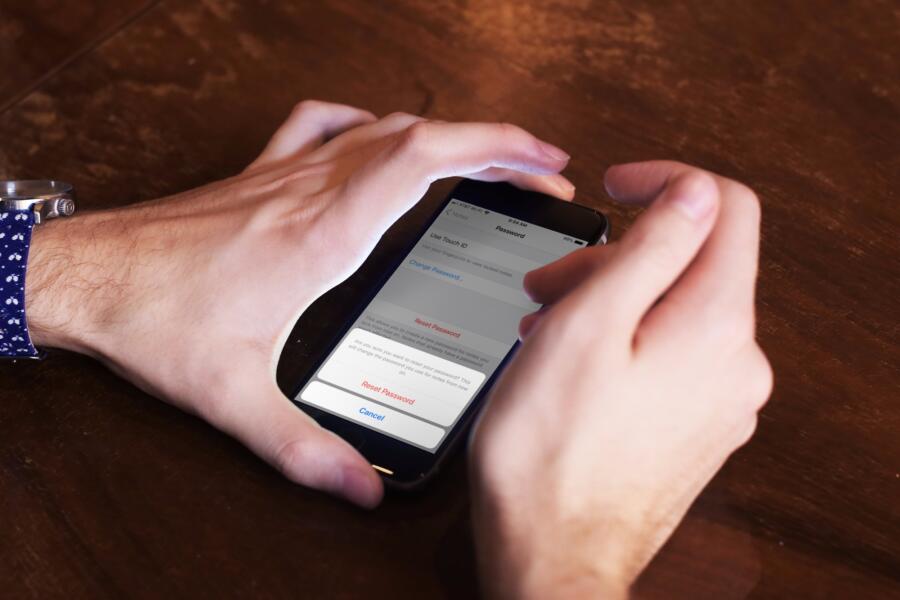
It is crucial that the information stored on our electronic devices remains secure. As a result, Apple programmed the iPhone with a security feature that requires a passcode or the user’s fingerprint to gain access to the user’s notes. On the other side, you may forget some or all of the new passwords you’ve created.
Notes on your iPhone, iPad or Mac are protected by a password, but at some point, you may forget that password. If you lose access to your notes and don’t know the password, you won’t be able to see them, and Apple won’t be able to help you get back in.
However, if you reset the password for your notes, you will be able to access it again. For those who have forgotten their Notes account password, we’ve included detailed instructions on how to retrieve it here.
Resetting Your iPhone or iPad Password

If you use the Notes app on your iPhone or iPad and have forgotten your password, follow the instructions below to reset it.
- Launch the iPhone’s Settings application.
- From the preferences menu, select Notes > Password.
- Choose the link that reads “Reset Your Password” now.
- If you want to make sure you’re talking to the right person, we need you to enter the password for your Apple ID. Click “OK” to proceed.
- In the next screen, a confirmation window will appear asking you to confirm your selections.
If you want to change your password, click the “Set Password” button and then use the “Password” form that appears. In order to proceed, you will be asked to enter the same password again for verification purposes.
If you’re worried about forgetting your password, you can make it simpler on yourself by including a hint. To save your edits, just click the “Done” button.
With this passphrase, your notes in the future will be secure from prying eyes. Write it down or come up with a memorable hint to assist you to recall it, and then apply that. You should also enable a secondary biometric unlocking mechanism, like Touch ID or Face ID, so that you can still get into your notes even if you happen to forget your password again.
Mac Notes Account Reset Password Instructions

In case you’re using a Mac and want to secure your notes with a password, here’s how to do it.
- Launch Mac’s Notes app.
- Choose Notes > Preferences from the menu.
- Having done so, choose the Reset Password option in the new window that has opened. Once you’ve done that, click the OK button.
- Click the “Reset Password” button to confirm your selection.
- Make up a new password and enter it in the “Verify” field. You can produce a “Password Hint” to help you remember your password if you’d like.
- To finish, click the “Set Password” box to preserve your modifications.
Also read: Trailer for “Fear” Showcases What It Was Like When Joseph Sikora Faced His Worst Fears




